Design systems & AI
AI readiness for design systems
Why agents average your copies, and the contract they need. Thirty minutes.
Christoph Hellmuth · Design Engineering Studio
Introduce yourself and state what the half hour is for.
I am Christoph. I run a design engineering studio in Nuremberg. I have spent sixteen years in the seam between design and code, including scaling Aurora at Nord across dozens of teams and hundreds of people.
Every team I talk to is plugging AI coding tools into their workflow right now: Cursor, Claude Code, GitHub Copilot, Figma AI. The promise is that features will ship five times faster.
Here is what actually happens when you point an agent at a scaling codebase: if your design system has drift, the agent does not ask which file is current. It averages the copies. It takes a prop name from a stale doc, a default color from an old token, and a layout hack from a forgotten PR. The resulting screen looks plausible, but the package does not export it.
This half hour is about how to prevent that compounding. We will look at the three copies problem, machine-readable token schemas, Code Connect, and a four-step audit you can run this week.
If your team is excited about AI, this talk is your insurance policy.
The reality
The agent averages the copies.
When the doc, the token, and the code disagree, an agent does not ask.
Let this line sit for five seconds.
At the Into Design Systems conference, Romina Kavcic shared a figure that every design system lead recognizes in their bones: 30 to 40 percent of a design system team's time is spent on pure upkeep. Fixing accessibility regressions, chasing down misapplied tokens, and correcting docs that no longer match the code.
When a human engineer encounters drift, they pause. They walk over to Slack and ask: 'Which button is current, the one in Figma or the one in the package?'
An AI agent will never ask that question. An LLM has no intuition. It reads the files in its context window, blends the conflicting patterns together, and generates an average. The code compiles, but you now have a fifth cousin of the button in production.
Connecting AI does not fix inconsistency. It accelerates its distribution.
Machines execute the pattern you give them.
Bletchley Park, 1945. British government code workers operating punched card sorting equipment.
The machine does not interpret the operator's private hopes. It reads the punched holes. If a hole is off by half a millimeter, the calculation fails.
A modern language model reading your repository is the same kind of mechanical reader. If your design system is vague human prose scattered across Confluence, the model will hallucinate around the ambiguity. If your system is a strict, machine-readable contract, the model will follow it with 100 percent fidelity.
The bottleneck in AI coding is not model intelligence. It is the precision of your system contract.
The diagnosis
Connecting MCP does not reconcile the copies.
It gives the disagreement a faster distribution across your git history.
Many teams believe that adding Model Context Protocol (MCP) or an agentic plugin will automatically align design and engineering.
It will not.
MCP is a pipe. It connects the agent to your Figma files, your GitHub repos, and your Storybook instances. But if the Figma file calls a color 'action.primary', the CSS file calls it 'color-indigo-900', and the React component hardcodes '#081259', MCP simply exposes all three conflicting truths to the model at once.
The model picks whichever file it read first, or it combines them into a novel hybrid. You have not solved the seam; you have simply given drift a firehose.
Before you connect the pipe, you must reconcile the meaning.
Structure
Three copies. Then the compiler.
- 01
The Three CopiesWhere documentation, tokens, and component code drift apart.
- 02
Machine-Readable ContractsWhy human markdown fails and AST schemas succeed.
- 03
Code Connect & Strict ASTsMapping Figma canvas nodes directly to verified React imports.
- 04
The AI Readiness AuditA four-step checklist to run before connecting any coding model.
Here is how we will spend the remaining 26 minutes.
First, we diagnose the three copies that exist in every product company. Second, we establish what a machine-readable contract looks like in code. Third, we explore Code Connect and AST mapping. Finally, I will hand you a four-step audit you can execute in your repository on Monday morning.
Questions at the end. Let us start with the three copies.
Part 01
The three copies
Where the drift hides before you prompt.
Part one: The three copies.
Every design system team starts with good intentions. But within twelve months, three separate realities emerge inside the company.
The triangle
Doc, token, component.
- 01
The DocumentationWritten in Storybook or Notion. Describes what someone hoped was true two quarters ago.
- 02
The TokenA variable in Figma or a JSON file. Updated during a rebrand, but disconnected from runtime builds.
- 03
The ComponentThe actual production React code. Full of local hotfixes, unvetted props, and inline style overrides.
Look at that triangle: documentation, token, component.
Copy one is the doc. It was written when the button was first announced. It says the button takes a 'variant' prop with four values.
Copy two is the token. The brand team rebranded last month. They updated the color variables in Figma, but nobody ran the compiler script.
Copy three is the component code. Six feature squads touched it. One engineer added an undocumented 'isCompact' flag; another hardcoded a 10px margin to fix a checkout bug.
Which copy is the real design system? To a human, it is an argument. To an agent, it is an unresolvable contradiction.
Precedence
Establish which copy wins in a conflict.
The semantic token contract wins, code follows, and breaking changes require a version bump.
If you do not write down a formal precedence rule, you have delegated architectural authority to the LLM's probability matrix.
In our studio, we enforce a strict precedence hierarchy:
One: The semantic token contract is the law.
Two: Component implementations must conform to the token schema.
Three: Documentation is generated automatically from the code types, never written by hand.
When documentation is generated directly from TypeScript types and token schemas, the doc and the code can never disagree. You eliminate one entire side of the triangle instantly.
One punch. One record.
National Archives, 1940. A card puncher at a pantograph.
Notice the mechanical rigor. A punch is either present or absent. There is no ambiguity.
When you prepare components for AI, your prop definitions must have that same discrete clarity. Not an open-ended string where someone can pass arbitrary CSS, but a strict union type: 'primary', 'secondary', 'danger'.
The more binary your interfaces, the more accurate the agent.
Hallucination
Agents do not hallucinate out of malice.
They hallucinate because your component interface was too loose to constrain them.
Whenever an engineer complains that Cursor or Claude generated inline CSS or invented a custom modal, I ask to see their component definition.
Nine times out of ten, their component accepts 'className', 'style', and open-ended children props without any validation.
An LLM's job is to fill empty space with plausible syntax. If you give it an unconstrained slot, it will generate unconstrained styles. But if you wrap your components in strict TypeScript interfaces and enforce an ESLint rule that bans inline styles, the agent is forced to use your canonical tokens.
Constraints create reliability.
Part 02
Machine-readable contracts
Moving beyond human markdown.
Part two: Machine-readable contracts.
Let us look at what an AI coding model actually needs to see in your repository.
Format contrast
Human prose vs machine schema.
01Human Markdown'Buttons should generally have generous padding and feel primary when placed on light backgrounds.' Vague, subjective, impossible for an agent to verify in code.
02Machine SchemaStrict JSON schema with typed prop unions, bound design tokens, and WCAG contrast assertions. 100 percent deterministic for both linters and agents.
Compare these two formats.
On the left: human markdown. 'Buttons should feel primary and have generous padding.' What does 'generous' mean to an agent? Does it mean 16px, 24px, or 32px? The agent will guess, and every guess is a new drift vector.
On the right: machine schema. A TypeScript interface declaring exact variant enums, mapping to specific CSS token variables, backed by an automated contrast assertion.
Human guidance belongs in design critiques. Machine schemas belong in the repository where agents compile code.
Tokens
Point the agent at the package, not raw CSS.
The prompt must inject the component import manifest, not a Tailwind cheat sheet.
The single biggest mistake teams make with AI coding tools is asking them to 'build this screen in Tailwind.'
When you tell an agent to write Tailwind, you are telling it to invent raw utility soup from scratch: 'bg-blue-600 hover:bg-blue-700 px-4 py-2 rounded-md'.
You have just bypassed your entire design system. None of those utility classes are bound to your semantic tokens. When your brand changes or dark mode toggles, that screen breaks.
Instead, your system prompt or Cursor rule must state: 'You are restricted to components exported by @studio/ui. You may not write arbitrary utility classes or inline CSS.'
Point the model at the package.
The cards dictate the weave.
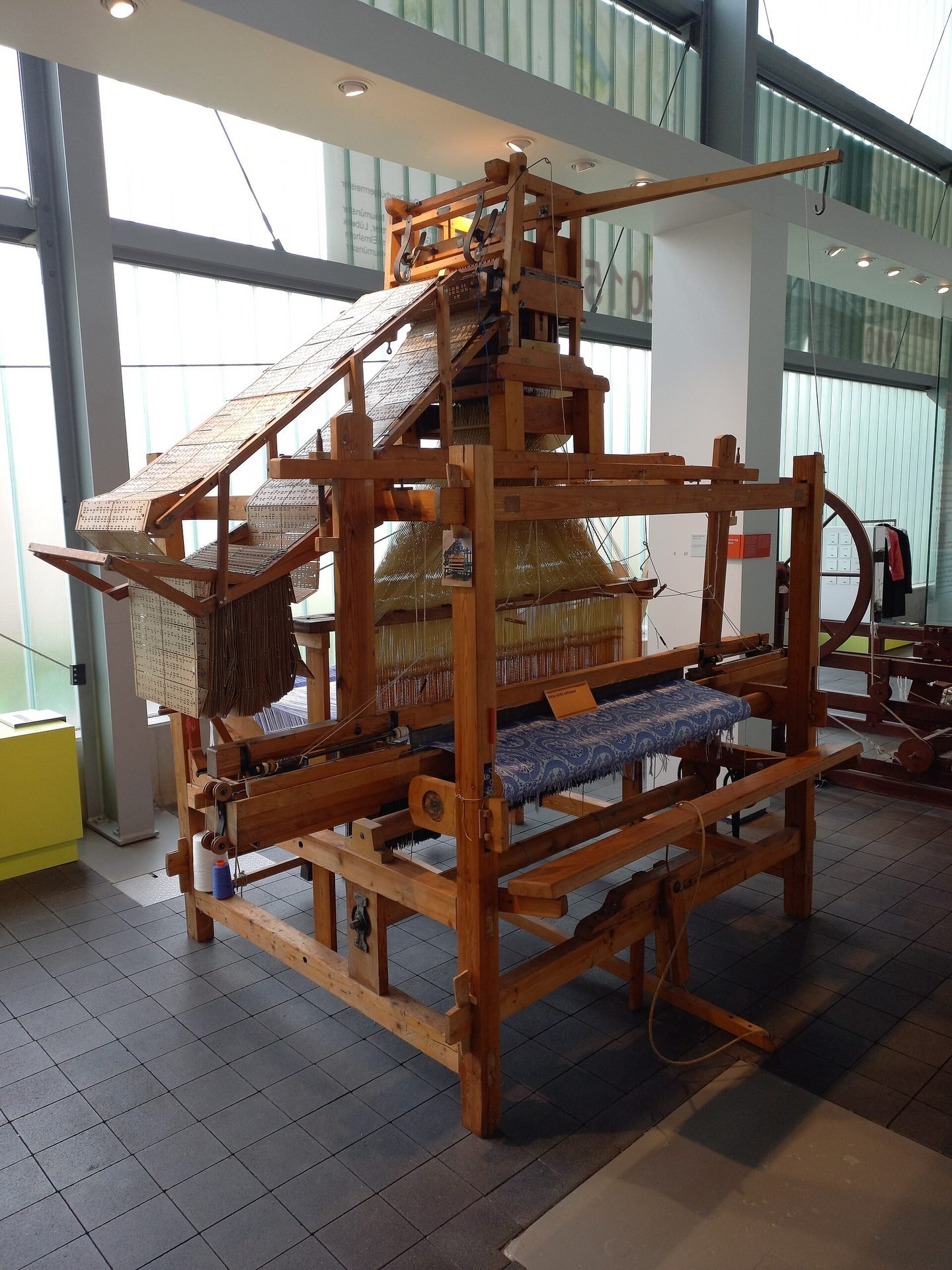
Museum Tuch und Technik. A working Jacquard loom.
The cards dictate the weave. The loom cannot invent a flower pattern that is not punched into the card deck.
Your design system package is that card deck for the AI agent. When your components are properly packaged, typed, and exported, the agent can only assemble interfaces that match your design standards.
It cannot weave outside the pattern.
Code Connect
Code Connect is the map.
- 01
Figma Node IDThe exact unique identifier of the component symbol on the canvas.
- 02
The Connect MappingA small code contract declaring props, variants, and subcomponent bindings.
- 03
Production ImportThe verified React or web component snippet injected into code when the node appears.
Figma's Code Connect is the most important technical bridge released in the last two years.
Historically, handoff failed because Figma called a component 'Button / Primary / Large', while the React codebase called it '<Btn size="lg" intent="cta">'.
Code Connect bridges that semantic gap. It maps the visual node ID in Figma directly to the production React import statement.
When an AI agent inspects the Figma canvas via MCP, it does not have to guess which component to use. Code Connect hands it the exact canonical import. Zero visual translation error.
Taxonomy
A token file agents can parse is small and boring.
Flat key-value hierarchies with semantic paths beat deeply nested ambiguous JSON objects.
I have audited token files that were fourteen levels deep. Objects inside objects, with circular alias references and complex calculation formulas.
Human designers thought it was elegant. AI agents choked on it. The agent would run out of context tokens or resolve the wrong alias chain.
Keep your token schema flat and boring. Use clear semantic keys: 'color.action.primary', 'spacing.4', 'radius.md'.
Boring files compile. Clever files break.
Part 03
The AI readiness audit
Four checks to run before connecting an agent.
Part three: The AI readiness audit.
Here is the exact four-step protocol I run when auditing a client's design system before they deploy AI coding assistants.
Checklist
The four-step AI readiness audit.
- 01
Eliminate Orphan TokensGrep your repository. Any token in Figma or JSON with zero production imports must be purged.
- 02
Enforce Prop ParityVerify that every variant in your Figma library corresponds 1-to-1 with a TypeScript prop interface.
- 03
Commit Code Connect MappingsWire your core twelve components so agents have an unambiguous path from canvas to code.
- 04
Install Linter GuardrailsAdd ESLint rules that block pull requests containing hardcoded hex, raw pixel spacing, or detached components.
Four steps.
Step one: Eliminate orphan tokens. If you have 300 tokens exported in JSON but only 40 are imported in code, delete the other 260. An agent will see those unused tokens and assume they are valid choices.
Step two: Enforce prop parity. If your Figma button has a 'hasIcon' boolean, but your React button takes an 'icon' ReactNode, the agent will invent a wrapper. Align the props.
Step three: Commit Code Connect mappings. Start with your top twelve high-frequency components. Button, Input, Modal, Card, Select, Table.
Step four: Install linter guardrails. When an agent creates a PR with hardcoded hex, CI must fail immediately with a clear error message. The agent reads the linter error and fixes its own code.
Run this audit before you give your team Cursor licenses.
Classified, pressed, and labeled.
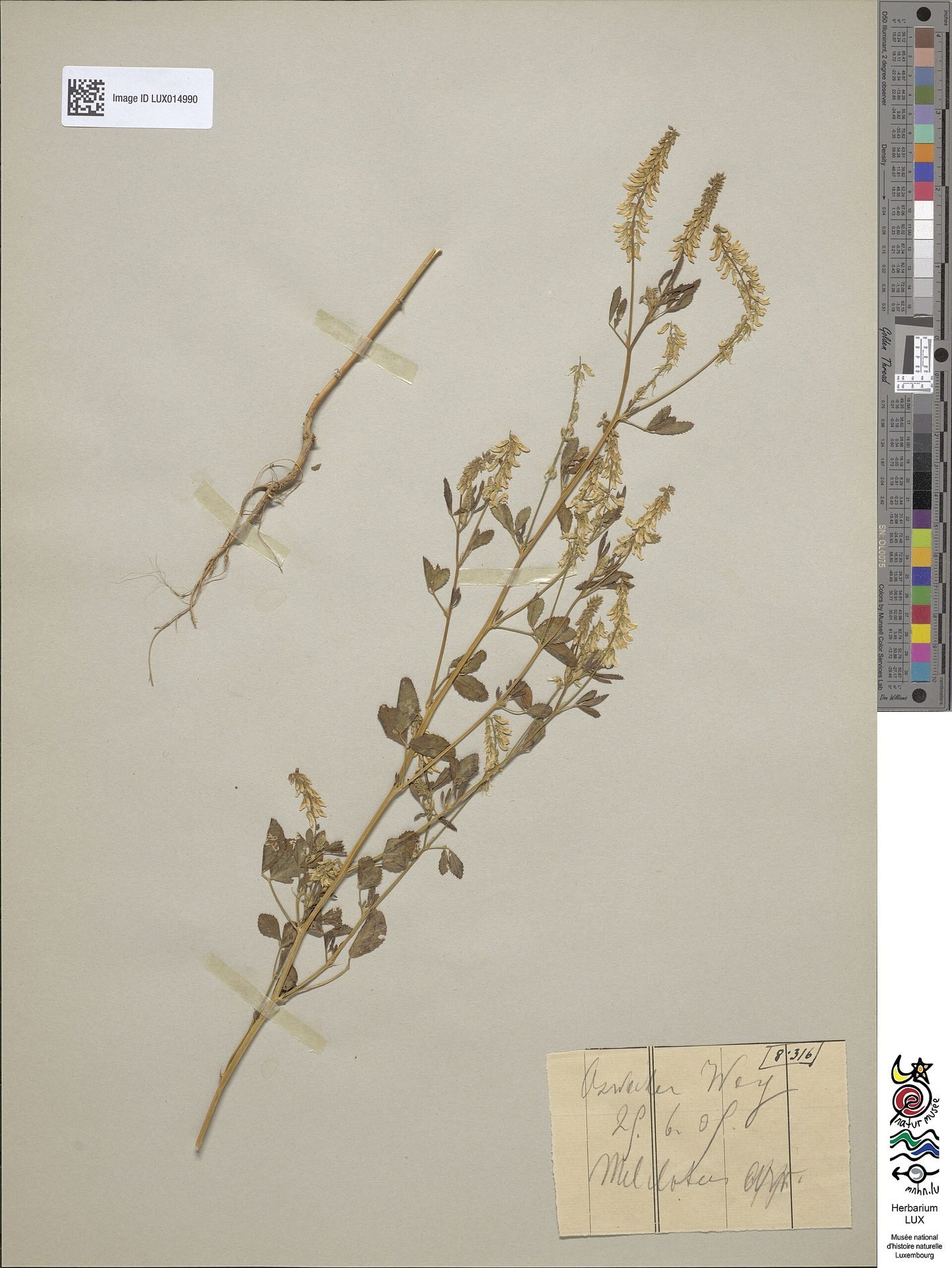
Felix Heuertz herbarium specimen, Melilotus.
Look at the classification. The plant is pressed flat. The genus, species, collector, and accession number are recorded on the bottom right label.
If your design system looks like this herbarium sheet, an AI model will operate with surgical precision. If your system looks like a chaotic pile of untagged leaves, the model will blow it away.
Taxonomy is the prerequisite for automation.
Quality bar
The quality bar moves to the prompt and the gate.
You no longer spend hours writing boilerplate div tags. You spend minutes reviewing the diff.
Some design engineers fear that AI code generation reduces the craft of interface design.
It does the opposite.
Typing out repetitive flexbox containers and boilerplate prop types was never real craft; it was mechanical transcription.
In an agentic workflow, your craft moves up to the specification: writing the precise system prompt, defining the accessibility boundaries, and inspecting the pull request diff.
You become the technical director of an automated production line.
Comparison
Unready team vs AI-ready studio.
01The Unready TeamConnects Cursor to messy legacy repo. Gets 50 new rogue buttons. CSS payload balloons by 45 percent. Maintenance consumes 60 percent of sprint capacity.
02The AI-Ready StudioStrict token contract, Code Connect mapped, automated CI gates. Ships production features 4x faster with zero design drift.
Look at these two trajectories.
Team one moves fast for three weeks, then hits a wall. Their codebase is bloated with duplicate components, dark mode is broken, and nobody knows which CSS file controls checkout.
Studio two moves fast permanently. Every feature built by an agent is composed of canonical components, fully typed, accessible by default, and bound to design tokens.
AI does not create quality; it multiplies the architecture you feed it.
Part 04
The quarter ahead
What to do on Monday.
Part four: What to do on Monday.
Action plan
Start with one component, not the entire library.
Take your Button. Align the doc, the token, and the props. Wire Code Connect. Test it with an agent.
Do not attempt a six-month AI transformation initiative.
On Monday, take one component: your primary Button.
Align the three copies: make sure the doc, the Figma variable, and the React props agree 100 percent. Write the Code Connect mapping file. Set up an ESLint rule banning hardcoded button styling.
Then open Cursor or Claude Code and prompt it to build a login form. Watch how cleanly it imports the canonical button.
Once you prove the loop on one component, rolling it out to the rest of the library is simple arithmetic.
Conclusion
Agents need contracts, not pictures.
Build the machine-readable system before you press generate.
Christoph Hellmuth · Design Engineering Studio
Leave this slide on screen.
The future of design engineering is not about drawing static screens in Figma. It is about architecting contracts that machines can compile and humans can trust.
If you give an agent a picture, it will guess. If you give it a contract, it will build.
Thank you. Let us take questions.
The question
Is your system machine-readable, or only human-plausible?
Test it this week: ask an agent to build a form using only your library. Look closely at the diff.
Leave this diagnostic prompt on the screen while people raise their hands for Q and A.
Ask them to run this experiment on Monday and report back on what broke.