The future of UI
The autonomous interface
Generative UI, runtime systems, and why tokens are the only constant. Thirty minutes.
Christoph Hellmuth · Design Engineering Studio
Introduce yourself and present the core question of the talk.
I am Christoph Hellmuth. I run a design engineering studio in Nuremberg. I have spent sixteen years in the seam between design and front-end engineering.
Here is the question this talk answers: what happens to design systems when interfaces are no longer static screens designed in Figma six weeks in advance, but dynamic component graphs assembled at runtime by artificial intelligence for individual users?
We are watching the emergence of Generative UI: systems that synthesize tailored interfaces on the fly based on user intent, live data, and device physics.
If an AI model generates interfaces from an unconstrained wild west of raw CSS, the result is chaotic, inaccessible, and off-brand. But if the model is constrained by a strict token contract and certified components, every generated screen looks handcrafted.
This half hour is about the architecture of runtime design systems.
Let us step into the future of interface.
The frontier
Software will design its own screens.
When UI is generated at runtime, the design system is the only thing between you and chaos.
Let this thought sink in.
For thirty years, digital product design followed one paradigm: a human designer drew a static screen layout, an engineer coded it, and millions of users looked at the exact same screen.
That paradigm is ending.
In generative applications, software generates interfaces dynamically. A doctor reviewing a medical record sees a clinical timeline assembled specifically for that patient. A financial analyst sees an ad-hoc portfolio comparison generated from a natural language query.
No designer drew those screens in advance.
When screens are generated at runtime, the design system ceases to be a component library in Figma. It becomes the operating system of the interface.
Infinite molecules from finite elements.
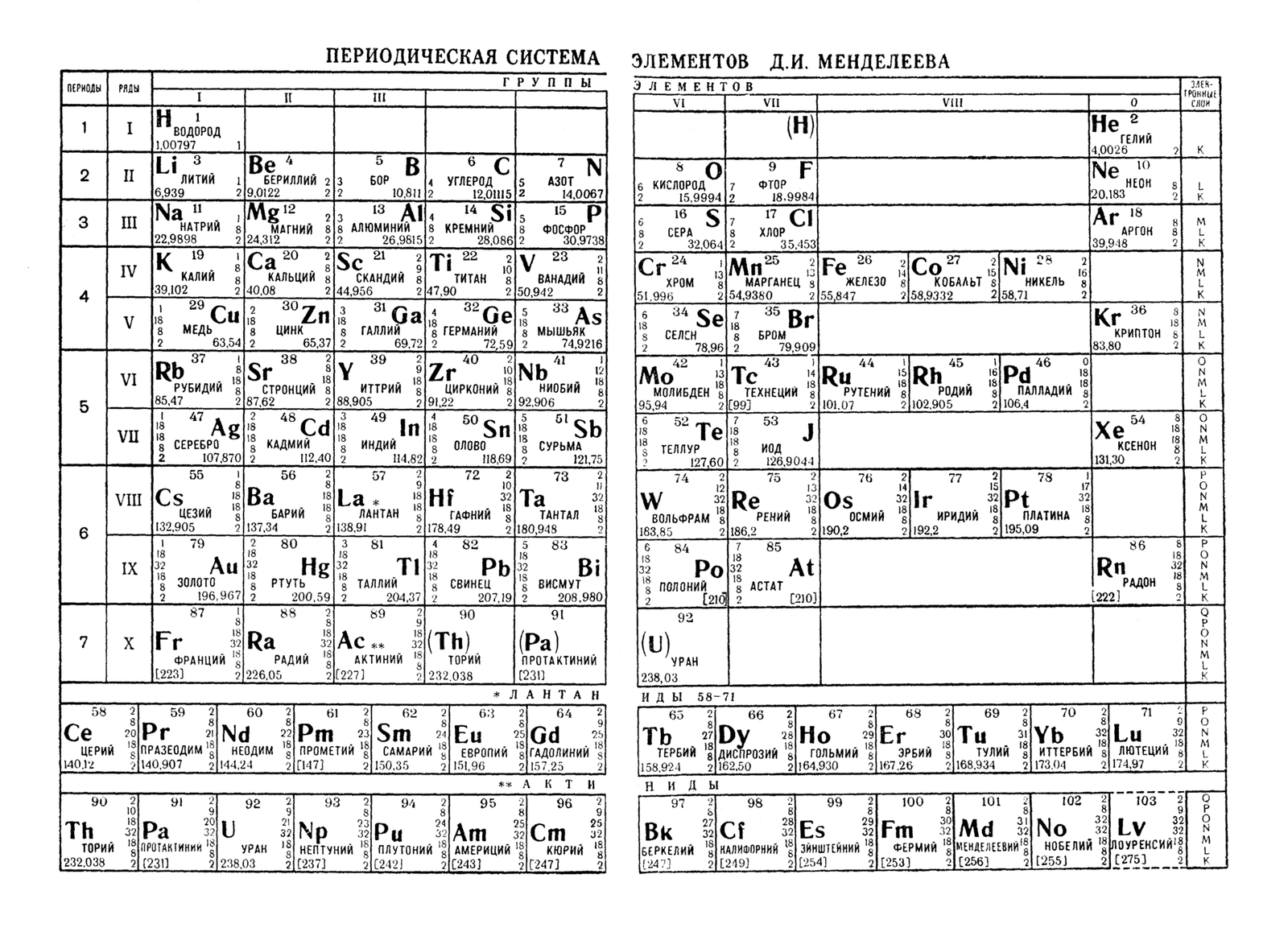
The Periodic Table of the Elements, 1962.
There are only one hundred and eighteen elements in the entire universe. Yet from those finite, discrete elements, nature constructs every mineral, every mountain, every drop of water, and every living cell.
A design system is the periodic table for generative software.
You do not need to design 10,000 static screens. You need thirty tokens and fifteen composable components. From those discrete elements, an autonomous model can construct an infinite variety of brand-compliant, accessible interfaces.
The shift
You cannot Figma-mock an interface that personalizes to one user.
The design engineer's role shifts from drawing static layouts to establishing generative constraints.
If you try to design a generative product using traditional Figma artboards, you will fail.
You cannot draw 50,000 artboards for 50,000 individual user states.
Your job as a design engineer is no longer designing the final layout. Your job is establishing the generative grammar:
What are the allowed component slots?
How do tokens enforce brand safety?
How do layout constraints adapt across mobile and desktop?
You are not drawing the painting; you are building the physics of the world.
Structure
Four dimensions of runtime UI.
- 01
Generative UI ArchitectureHow models select and assemble component trees at runtime.
- 02
Tokens as GuardrailsEnsuring brand safety, contrast, and layout physics dynamically.
- 03
The Component as GrammarSlot-based composition, strict props, and resilient interfaces.
- 04
The Self-Healing SystemAutomated drift detection, telemetry, and continuous code remediation.
Four chapters over the next 26 minutes.
First, how Generative UI works in production today.
Second, how tokens act as safety guardrails.
Third, how to design components that snap together like atomic grammar.
Fourth, how self-healing systems detect drift and repair themselves.
Let us look at the architecture of runtime UI.
Part 01
Generative UI architecture
How software renders intent at runtime.
Part one: Generative UI architecture.
Pipeline
The runtime assembly pipeline.
- 01
User Intent ParsingThe language model interprets the user's task from conversation or telemetry.
- 02
Component Schema SelectionThe model queries the system registry for approved components: Table, Card, Button.
- 03
Typed Prop InjectionStructured JSON data is injected into predefined component prop slots.
- 04
Sandboxed Runtime RenderThe client application renders the validated component tree inside design system constraints.
Here is how Generative UI works in real systems like Claude Artifacts or Vercel v0.
The user asks a question. The language model does not emit arbitrary HTML. It queries a component registry.
It says: 'I need a `<DataGrid />` with sorting, a `<MetricCard />` showing revenue growth, and a `<PrimaryButton />` for CSV export.'
It generates a structured JSON AST. The client runtime validates that AST against your design system schema, and renders native, accessible React components.
Zero hallucinated CSS. 100 percent canonical components.
Safety
Never let an LLM emit raw HTML.
Generative UI must be restricted to a whitelist of certified, accessible React components.
Allowing an AI model to emit raw HTML or arbitrary utility strings is an unacceptable architectural risk.
If an LLM emits raw HTML, it can introduce cross-site scripting vulnerabilities, broken color contrast, unstyled form elements, and layout shifts that crash your page.
Generative UI must operate through a strict whitelist. The model may only select from approved components exported by `@studio/ui`.
If a component is not in the whitelist, the runtime rejects the node. Security and quality by design.
Mechanical registration holds the colors true.
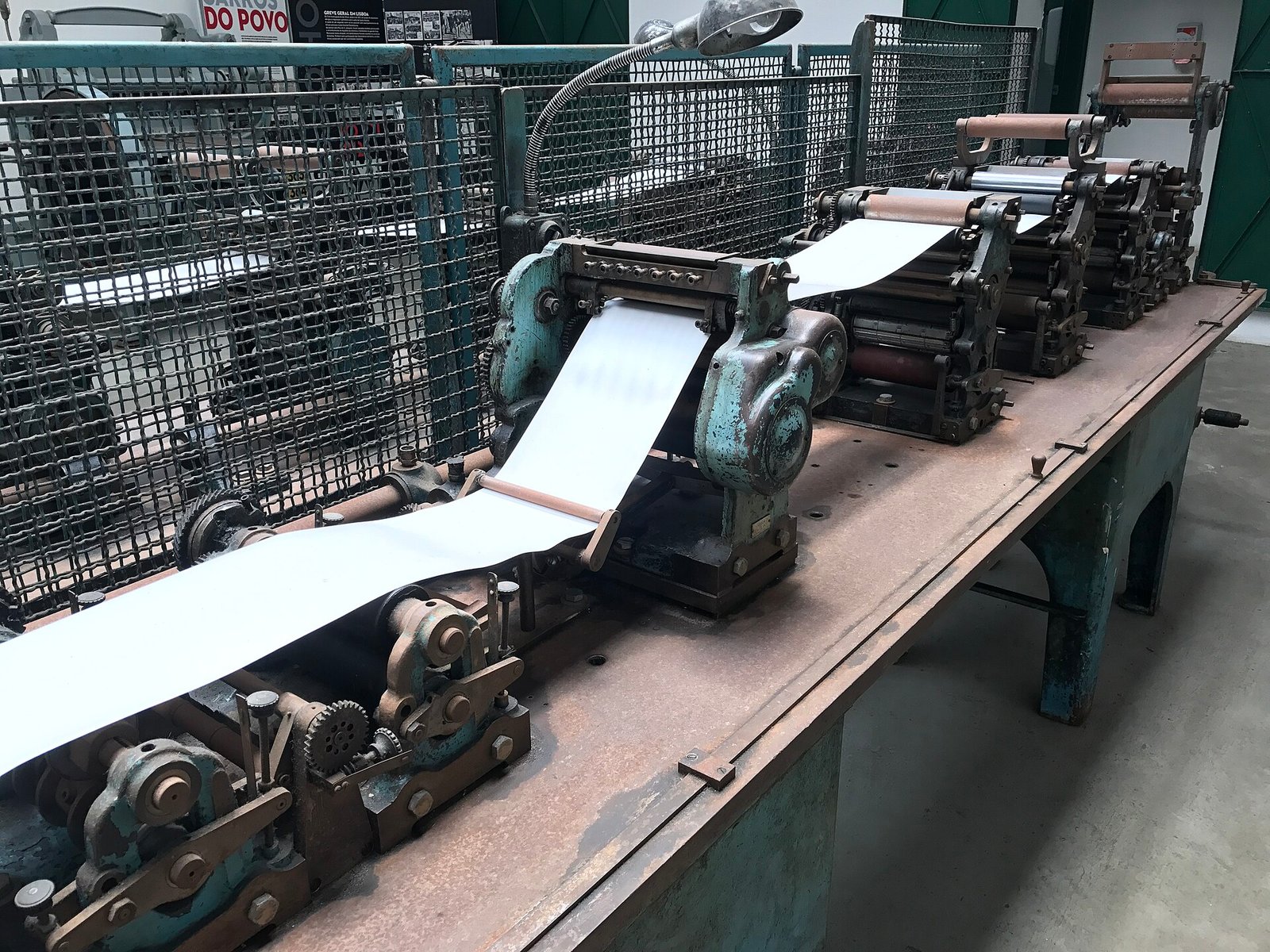
A Carris color press in operation.
Notice the mechanical registration guides along the paper path. Even at 12,000 sheets per hour, the four color plates stay registered to within one tenth of a millimeter.
Your design tokens are those mechanical registration guides for generative software. They prevent dynamic UI from drifting out of alignment.
Tokens
Design tokens are the physics of generative UI.
The LLM decides what to say; the tokens decide how space, color, and motion behave.
A language model understands grammar and logic, but it has zero intuitive grasp of physical interface constraints.
It does not know that touch targets on a phone require a minimum of 44px height. It does not know that dark mode requires lower contrast surfaces to prevent eye strain.
Tokens provide that physical intelligence automatically. When the model invokes a component, the tokens govern its dimensions, padding, colors, and responsive reflow.
The model supplies the content; the design system supplies the physics.
Part 02
The component as grammar
Building components that compose without breaking.
Part two: The component as grammar.
Grammar
Four rules for generative components.
- 01
Slot-Based CompositionUse explicit children slots (header, body, actions) rather than monolithic prop trees.
- 02
Strict Prop UnionsUse closed TypeScript enums ('sm' | 'md' | 'lg'), never unvalidated string types.
- 03
Self-Contained AccessibilityEmbed ARIA roles, keyboard traps, and focus rings directly inside the component boundary.
- 04
Zero Layout AssumptionsComponents must reflow gracefully whether rendered in a 320px mobile drawer or a 1440px canvas.
If you want autonomous agents to assemble your components without bugs, follow these four architectural rules:
One: Slot-based composition. Provide explicit slots for header, content, and footer. Avoid components with thirty top-level configuration props.
Two: Strict prop unions. Do not use open strings. Use discrete enums that the model can select with high confidence.
Three: Self-contained accessibility. The component must manage its own keyboard navigation and screen reader labels. Never rely on the LLM to remember ARIA attributes.
Four: Zero layout assumptions. Use container queries and flex layouts so the component looks flawless at any container width.
Visual logic
Tokenized visual logic.
When layout density, color mode, and typography scale are driven by tokens, the UI adapts to any device automatically.
Consider what happens when your interface is driven by tokenized visual logic.
A field technician using your software on an iPad in bright direct sunlight automatically triggers high-contrast surface tokens. A financial trader working on a 4K display automatically triggers compact density tokens.
The generative runtime selects the appropriate tokens based on user context. You do not write separate views; the tokens shift the layout physics dynamically.
The formula travels with the cloth.
Metropolitan Museum of Art, textile swatch specimen.
The chemical dye formula is written directly on the card beside the woven cloth. The sample and its recipe travel together.
That is how modern generative components must be packaged: the component code, its TypeScript interface, and its AI metadata prompt description travel in the exact same file.
Self-documenting, machine-readable units.
Comparison
Static screen era vs generative era.
01The Static Era (2010 - 2024)Designers draw 100 fixed screen mockups. Engineers manually code 100 templates. Handoff is slow, maintenance is painful, and true personalization is impossible.
02The Generative Era (2025+)Designers architect the periodic table of tokens and components. Software generates 10,000 contextual views at runtime. Consistency is 100 percent.
Look at that historical transition.
In the static era, every new feature required five meetings, three Figma iterations, and two weeks of front-end coding.
In the generative era, your team builds the periodic table: robust, accessible components and design tokens. The software assembles the views on demand.
This is why design engineering is the most critical control point in modern product development.
Part 03
The self-healing system
Continuous drift detection and automated remediation.
Part three: The self-healing system.
Self-healing
Four stages of an autonomous system.
- 01
Production TelemetryTracking real component render counts, error boundaries, and accessibility drops in production.
- 02
Automated Drift ScanningScheduled jobs scan repositories for hardcoded CSS overrides and unlinked component forks.
- 03
Autonomous PR CreationAn agent generates a pull request replacing legacy custom CSS with canonical `@studio/ui` imports.
- 04
Headless Visual VerificationAutomated visual regression tests confirm zero layout regressions before notifying the human maintainer.
Here is what mature systems look like today: they are self-healing.
Instead of waiting for an annual design audit, automated background agents monitor your codebase continuously.
When an engineer accidentally adds a duplicate button, the agent detects the pattern. It creates a pull request replacing the hack with the canonical component, runs the test suite, and requests review.
The design system maintains itself.
Trust
Trust the action, not the agent.
Do not give an autonomous agent write access to your main branch. Give it write access to a pull request with tests.
A critical security and governance rule:
Never give an autonomous agent permission to merge directly to your main branch or deploy to production.
Trust the verified action, not the model's probabilistic output.
The pull request is your safety boundary. The agent submits the PR; automated CI runs the linters, contrast checks, and visual diffs; a human design engineer provides final approval.
Every piece put back in its drawer.
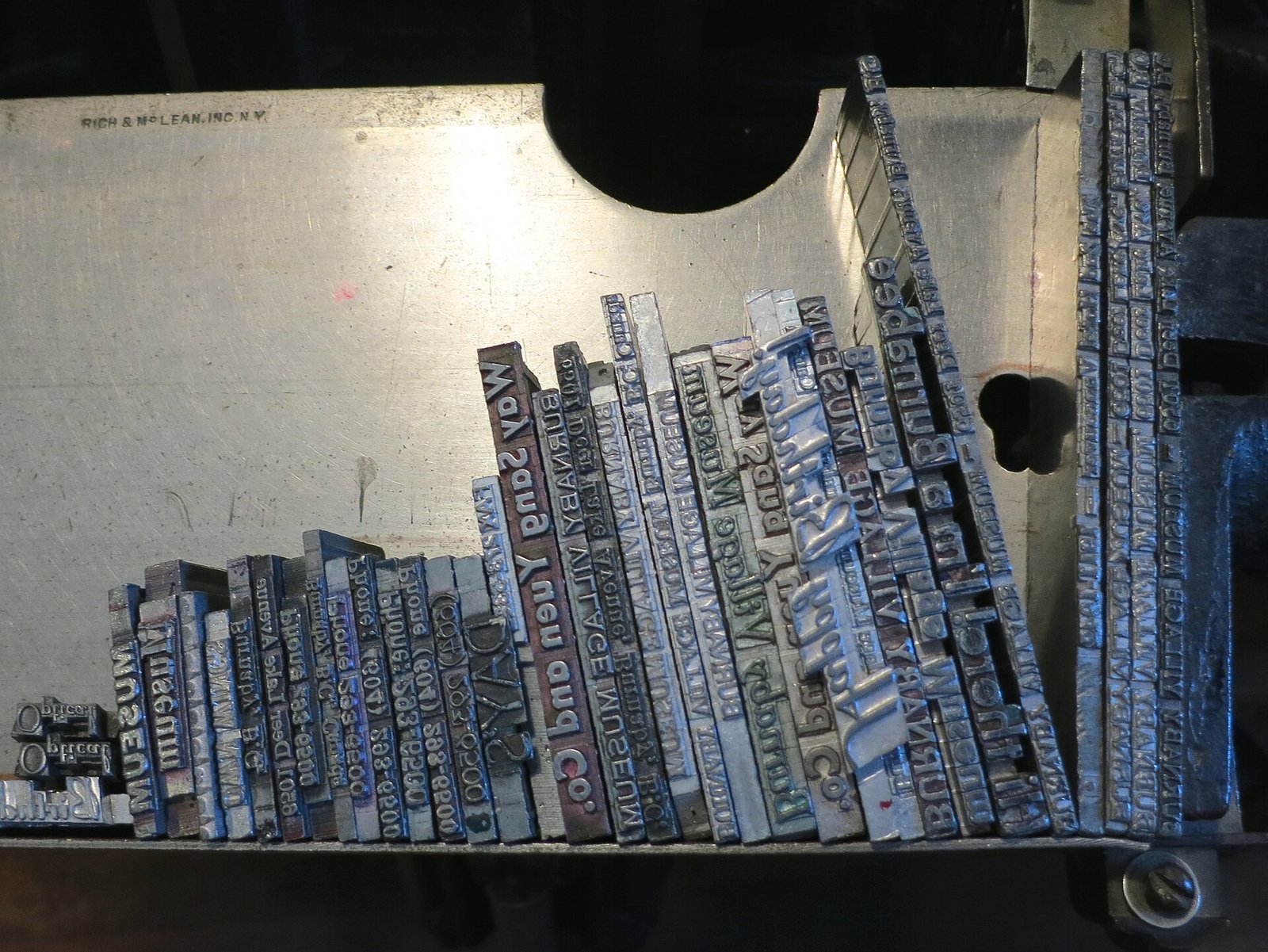
Burnaby Village Museum, movable type case.
The print shop only functions if every letter is returned to its exact slot at the end of the shift.
A self-healing design system enforces that discipline in software. It continuously sweeps the repository and puts every rogue style back into its canonical component slot.
The future
The designer becomes the director.
Your job is no longer moving pixels 2px to the left. Your job is establishing the visual grammar of a living organism.
When software designs its own screens, the designer is not obsolete.
You become the film director.
You establish the lighting, the mood, the character constraints, the emotional resonance, and the pacing. The software executes the scene.
Design craft becomes deeper, more conceptual, and far more powerful.
Part 04
Building for 2027
Where to invest your design systems budget today.
Part four: Building for 2027.
Strategy
Three investments that will compound.
- 01
Clean the Token FoundationAudit primitive and semantic tokens. Ensure 100 percent machine readability across light and dark modes.
- 02
Eliminate Component Prop SprawlRefactor monolithic components into clean, slot-based composable primitives with strict enums.
- 03
Deploy Automated CI GuardrailsInstall token linters and visual regression tests that make drift impossible to merge.
Where should you spend your design engineering budget this quarter?
Do not build another 50-page brand book in Figma.
Invest in three compounding assets:
One: Clean your token architecture. Make it machine-readable.
Two: Eliminate prop sprawl in your components. Move to composable slots.
Three: Install automated CI guardrails.
These three investments pay immediate dividends today and prepare your company for autonomous software tomorrow.
The constant
When everything changes, the tokens remain.
Frameworks die. Models evolve. Screen sizes multiply. The contract of names and decisions survives.
React may be replaced in five years. GPT-4 will be replaced next year. New devices and VR headsets will enter the market.
Frameworks and models are temporary.
The contract of names, semantic decisions, and spatial relationships you establish in your design system will outlive every tool you use today.
Invest in the contract.
Conclusion
Build the grammar. Let software speak.
The design system is the operating system of the autonomous interface.
Christoph Hellmuth · Design Engineering Studio
Final takeaway.
Build the grammar. Let software speak.
Thank you. Let us take questions.
The question
Will your design system survive when software designs itself?
Start with the contract today. The future will compile on it.
Leave this closing prompt on screen for Q and A.